
EverQuest Legends UI / by MMC-O
Emberveil
A darker frame for Norrath.
Sculpted bronze, oxblood leather, and ember-red details around the world you came to explore.
Public preview · 0.1.0-preview.11
Visible native cursor and Windows installer included · 5.9 MB ZIP
In game, November 16, 2026
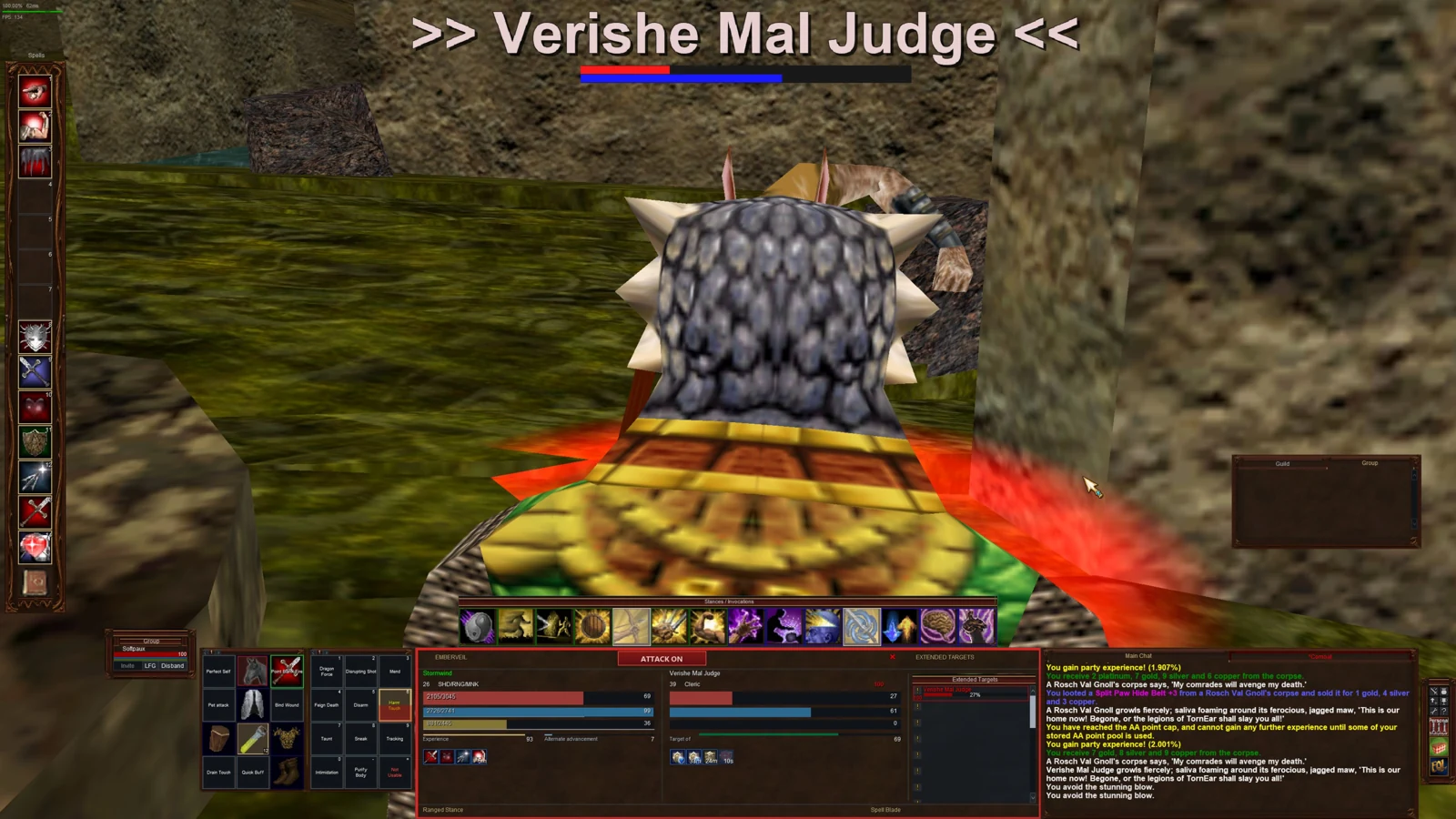
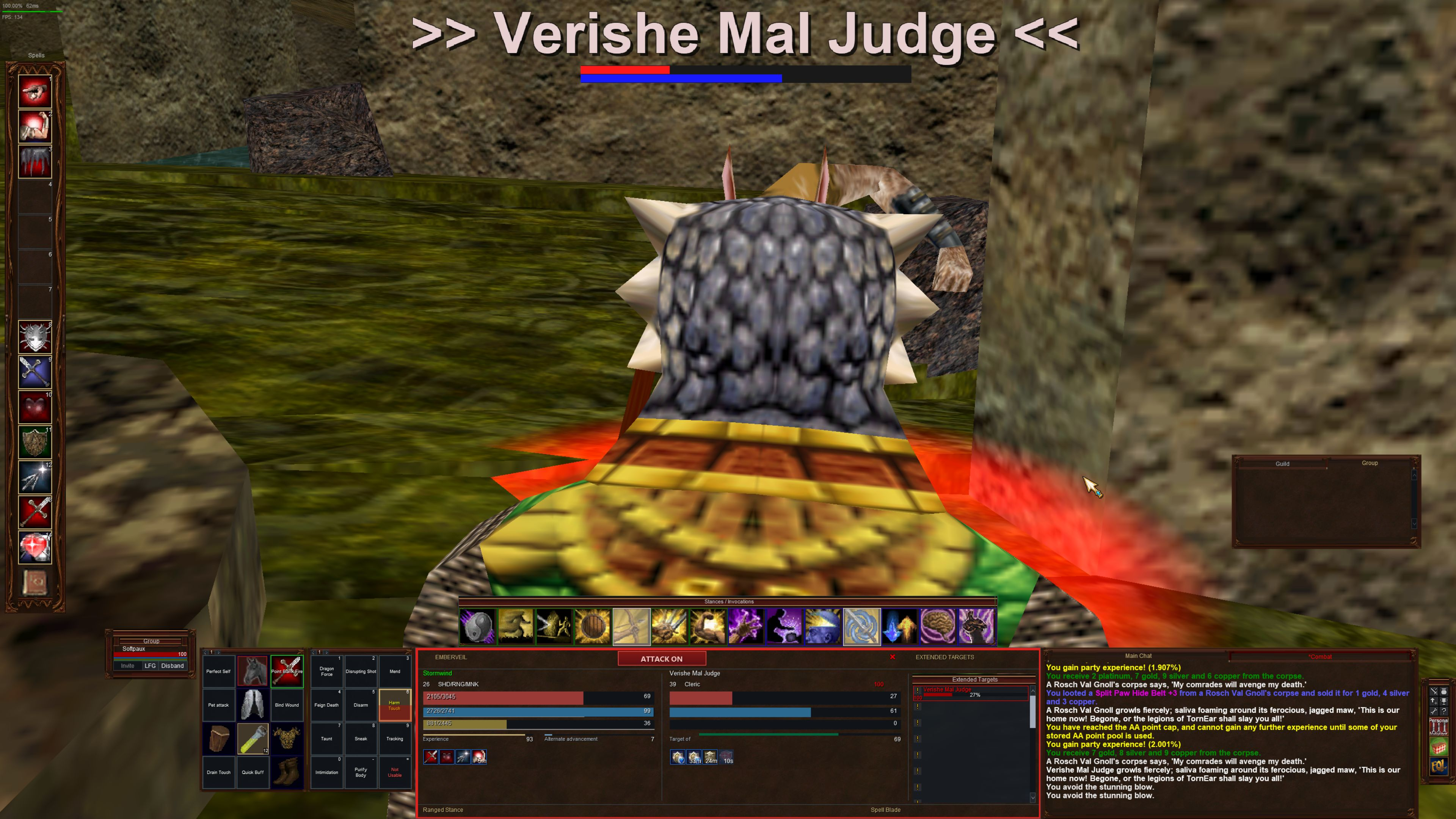
Emberveil in play.
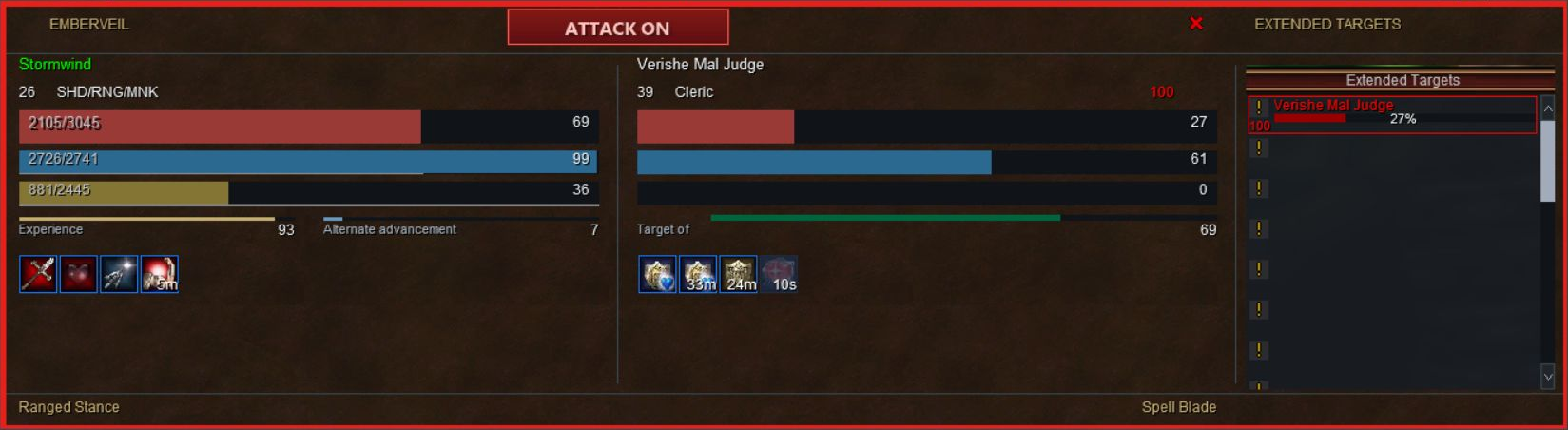
Window layout at 3840 × 2160, captured in preview.10. Preview.11 retains these window files and adds the visible native cursor. Select an image to inspect the original capture.

Bronze, leather, and a little fire
A familiar layout.
A darker finish.
Built on Silverthorn's controls, with illustrated dragon ornament, warm leather panels, and a matching grimoire.
Choose Small through XXL spell gems and arrange the bar vertically, horizontally, or wrapped. Spell-name and clear alternatives keep their minimal treatment.
Inventory brings equipment, statistics, and carried bags together. The bank has an inset navigation and currency footer. Options and the full map keep controls clear of the artwork.
The detail images above are unretouched crops of the same current capture. Other windows are described in the included component review.
Automatic installation
Extract. Install. Load Emberveil.
A separate skin using your current EverQuest Legends default_modern files.
- 1Extract the entire ZIP. EQL can stay open.
Use a new folder outside
uifiles. KeepInstall.cmd,Install-UI.ps1,ui-package.json, and the Emberveil folder together. Requires Windows PowerShell 5.1 or later. - 2Double-click
Install.cmd.The installer finds EQL, or asks you to choose a location. It backs up an existing Emberveil into
UIBackups, copies the current default UI, applies the compact Emberveil overlay, and verifies the installed files. - 3After installation finishes, load or reload Emberveil.
In EQL, open Options → Interface → Load UI Skin, select Emberveil, and keep Keep My Layout checked. Load it again even if it is already selected. Unlock windows to move them; right-click the spellbar title for display choices.
- 4Return to your previous skin whenever you like.
Choose it in Load UI Skin. Previous Emberveil files are preserved under
UIBackups. Your default UI, character settings, and other skins stay intact. Manual installation and command-line options are inREADME.txt.
Cursor included
A visible pointer in the full package.
Preview.11 includes the visible ivory, gold, and cyan native cursor. Install the full ZIP to receive it; a separate repair ZIP is no longer needed for current downloads.
The replacement arrow.cur has visible artwork instead of the transparent legacy pointer shipped in preview.10. It is installed and verified with the rest of the skin. Visibility over the affected menus still needs confirmation on the affected PC.
EQL can stay open. Extract the repair into its own new folder outside uifiles, then double-click that folder's Install.cmd. Once installation finishes, load or reload Emberveil with Keep My Layout checked, then test Display Types. In Options → Interface → General, Use System Cursor selects the Windows pointer when checked; uncheck it to test the UI-provided pointer. The repair keeps your existing preference.
The native replacement is 32 pixels before client scaling and works without installing a background helper. The larger pointer visible in the author's screenshots comes from a separate helper. The small repair below is retained for older Emberveil installations; current full downloads already include its cursor bytes.
Cursor repair SHA-256
6f0f2d48702a1b74001a1303a666f510aef9bad1bbf76194996213160a70b03aPreview status
What has been checked.
Current build
Preview.10 fixes player-window Arrange positioning and widens the Load UI Skin chooser. All seven Arrange commands and a Keep My Layout reload passed the recorded in-game review. Chooser scrolling, selection, and loading also passed.
The shipped installer was exercised in an isolated game folder. XML, native control bindings, artwork regions, package hashes, and installer output are checked separately from visual review.
Still a public preview
Primary review: 3840 × 2160 at 125% Windows display scaling. Smaller resolutions, other UI scales, every spellbar alternative, populated pet and raid states, and all customized windows have not completed live review.
Long spellbook labels and minimum-size behavior need further checks. Manual chooser resizing is unconfirmed. Carried bags support up to ten slots each; bank bags up to fifty. Future client patches may require updates.
See component-review.md and VALIDATION.md inside the ZIP for bounded evidence and remaining checks.
Public preview
Take Emberveil into Norrath.
Skin 0.1.0-preview.11, including the native cursor, automatic Windows installer, and rollback instructions.
EQL can stay open during installation. Load or reload Emberveil after it finishes. Window artwork and controls are unchanged from preview.10.
Compact overlay only. The installer supplies unchanged game files from your own current default_modern folder.
Emberveil UI
by MMC-O · 0.1.0-preview.11 · 5.9 MB
Download ZIP + installerVerify the SHA-256 checksum
1c3aa20d8c648dc02148b42d7d5b60192c32624e334df4559db1724404143b23Feedback: [email protected]
Independent fan project, unaffiliated with or endorsed by Daybreak Game Company or EverQuest Legends. EverQuest and related names and marks belong to their respective owners. Original interface artwork generated with OpenAI image_gen and curated by MMC-O.