
Ornate shells
Readable bronze-and-briar borders with geometry compensation for their thicker rails.
EverQuest Legends UI skin
High-fantasy bronze frames, dark fieldstone surfaces, glass gauges, and spellwork built around the information you need in a fight.
This is a working beta, not a finished universal skin. Back up your current UI and expect some class, resolution, or future-patch edge cases to need refinement.
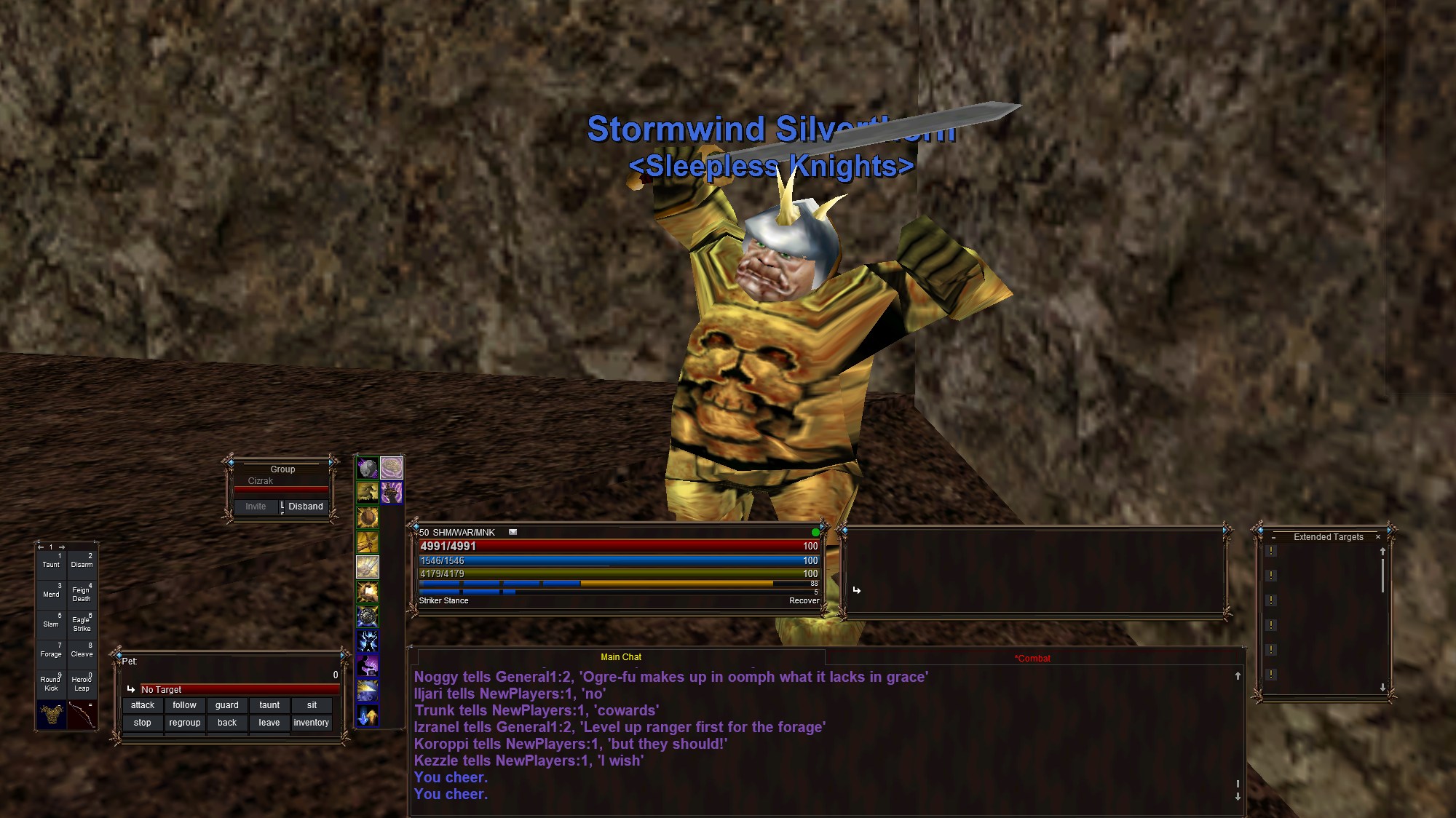
Current release
The compact download contains only Briar Reforged's changed UI files and original artwork. EverQuest Legends supplies the unchanged `default_modern` controls at load time.
4228ae9ff39aa0210fcbc4e8e4ec2bc059f1ea4bd9a3864c4ca7b3a2801e603bDownload SHA-256 fileDesigned around combat
Briar Reforged changes the atmosphere without intentionally removing the native controls, values, tabs, buttons, lists, or interactions present in `default_modern`.
Readable bronze-and-briar borders with geometry compensation for their thicker rails.
Player, target, pet, group, actions, chat, and extended targets share one visual language, with a three-pixel flashing attack indicator.
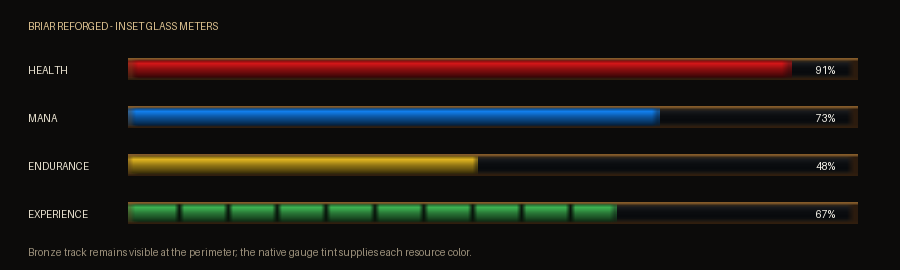
HP, mana, endurance, experience, and other gauge families gain depth; XP units occupy the lower half so gold major progression remains visible.
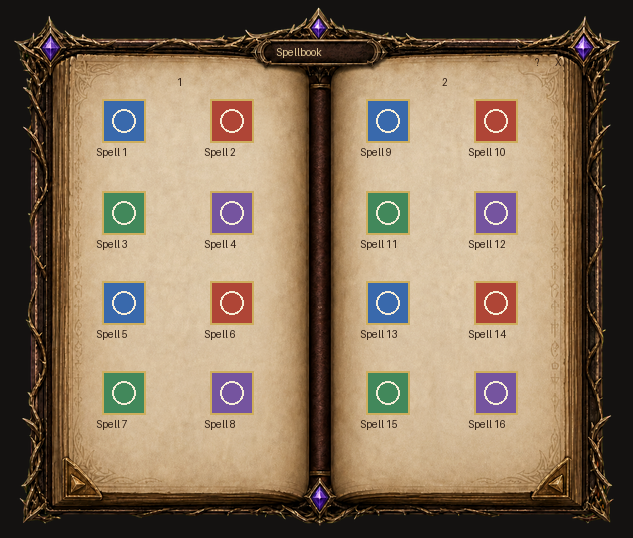
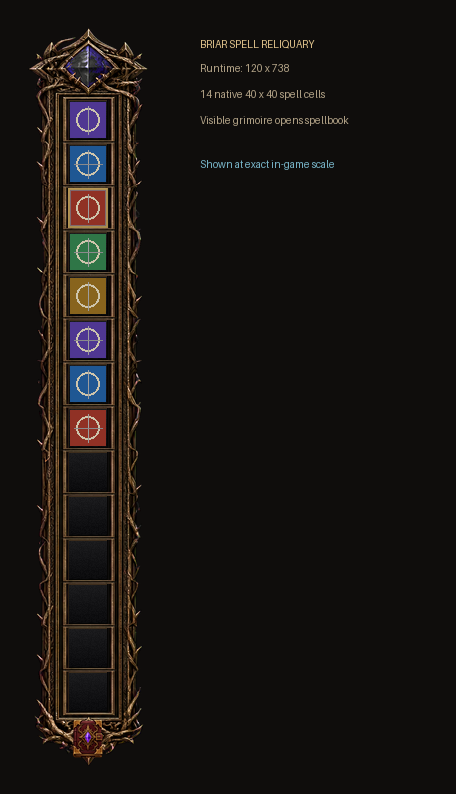
An ornate spell reliquary, integrated book control, and an open spellbook presentation.
Installation
Install Briar Reforged beside the supplied skins, then select it through the in-game interface. Do not overwrite `default_modern`.
Preserve any existing `BriarReforged` folder before updating.
The result should contain `uifiles\BriarReforged\EQUI_Animations.xml`, without a second nested BriarReforged folder.
Select `BriarReforged` and keep Keep My Layout enabled.
Reload `default_modern`. If the beta fails to load, check `UIErrors.txt` and include it with your report.
What beta means
The XML parses, changed controls retain static parity with `default_modern`, thicker-frame geometry is compensated, the compact ZIP recreates the tested runtime, the pet window exposes its full command-button grid in live play, and the current client now loads the Options window without missing-control errors.
EverQuest Legends did not expose party mana or party-pet status during live testing, despite reserved layout space. The buff-countdown size remains under investigation because the client did not visibly apply the earlier XML sizing experiment. Additional resolutions and UI scales, every class combination, long and populated lists, uncommon windows, and compatibility after future Daybreak patches also remain test cases.
The feedback loop
Reports are most useful when they identify the version, resolution, scale, class combination, affected window, and exact control. Screenshots and `UIErrors.txt` excerpts are welcome.
The email button opens a prefilled checklist so the details needed to reproduce the issue are easy to include.
Email beta feedback[email protected]Briar Reforged is an independent, unofficial fan project from Tedd Ventures. It is not affiliated with or endorsed by Daybreak Game Company. EverQuest and associated names and marks belong to their respective owners. The visual direction is a personal tribute to richly illustrated classic fantasy interfaces; no original T. King UI files are included.